Astor Crane Simulator
Try a truck-mounted crane in your browser before you buy. Enter the load and distance; watch the crane unfold, lift the load and set it down in 3D, or operate it yourself with the levers of the radio remote.
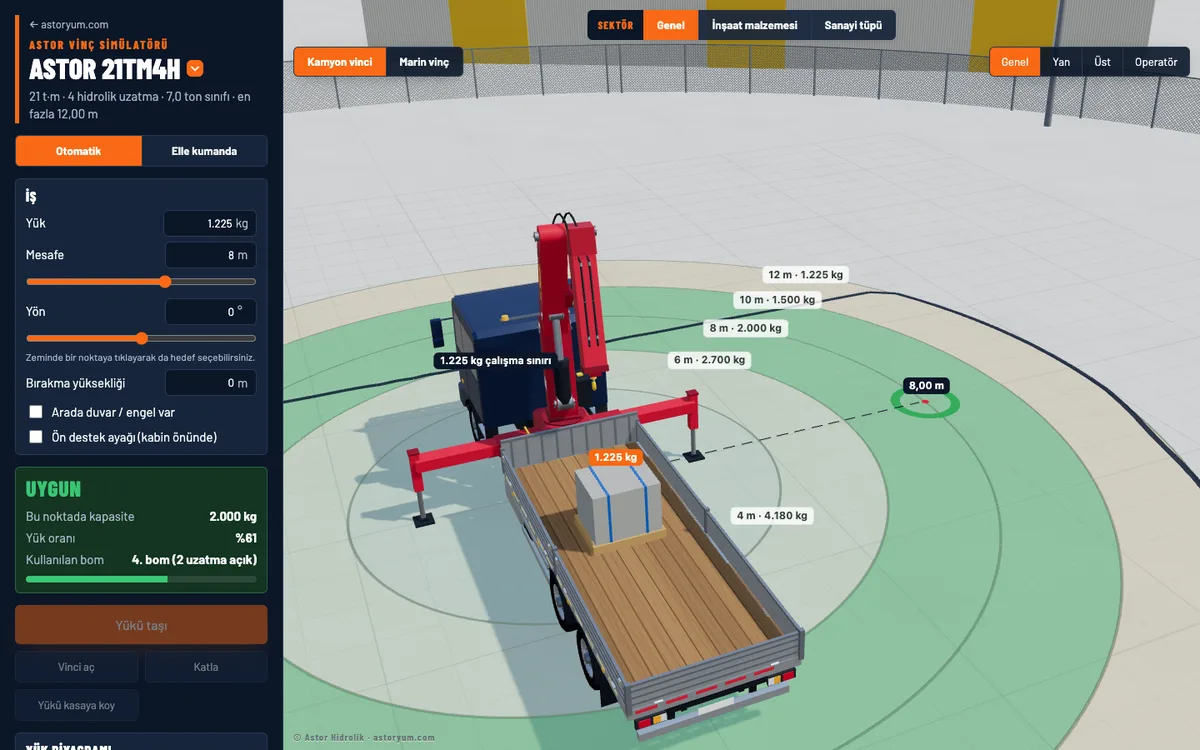
See the crane doing your job
Automatic lifting
Enter the load and distance and press “Move the load”: the crane extends its outriggers, picks up the load and sets it down at the target without touching anything.
Manual control
Use levers like on a radio remote to slew, lift, fold, extend and operate the outriggers yourself; attach and release the load yourself.
Jobs by sector
Deliver pallets of blocks to the floors of a building or gas cylinder bundles to a store; choose the scenario closest to your work.
Marine crane
Try the crane on a vessel's deck: move the load from the deck to the quay and change the crane's position on board.
Load chart and moment control
Each model uses its own load chart. If the load exceeds the capacity, load moment control stops the movement and shows why.
On any device
Opens in the browser on computers and phones; nothing to install. In English and Turkish.
Try it in three steps
- 1
Choose the crane model and the sector that fits your work.
- 2
Enter the load weight, distance and direction; the crane's capacity at that point appears instantly.
- 3
Press “Move the load” and watch the crane, or switch to “Manual control” and operate it yourself.
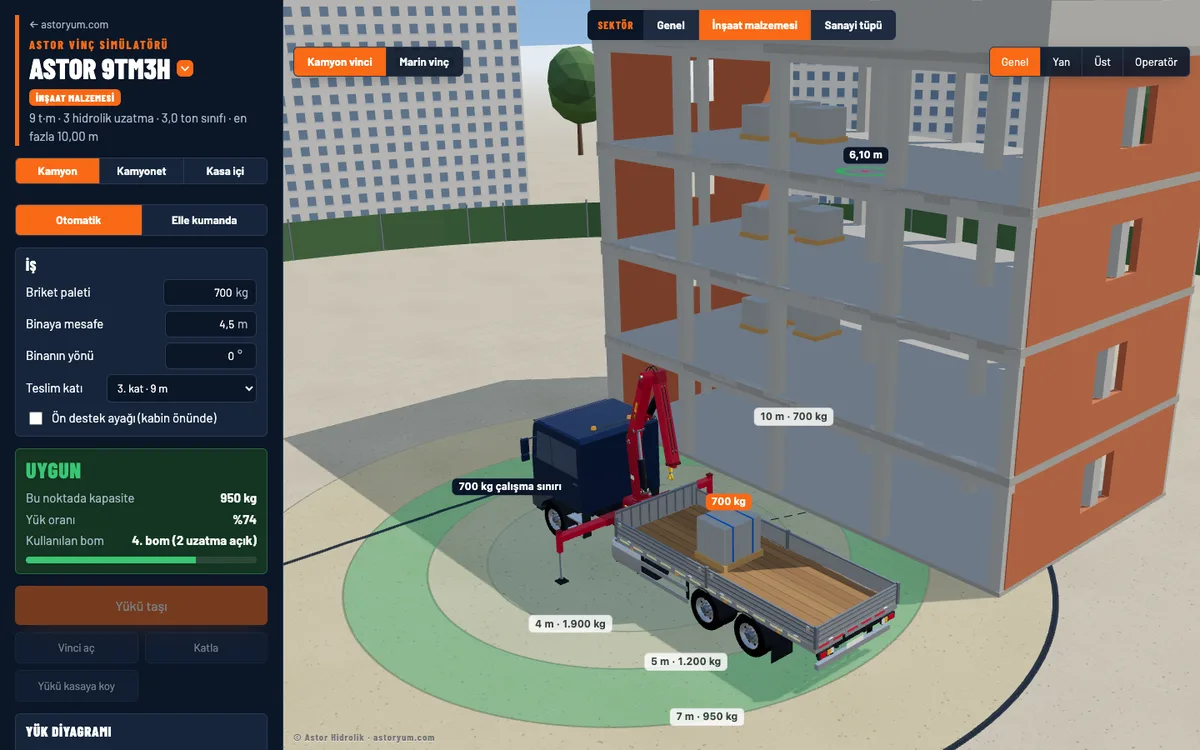
Frequently asked questions
What is a crane simulator?+
The Astor Crane Simulator is a free application that shows our truck-mounted cranes in 3D in your browser. Enter the load, distance and height to see how the crane would do your job, or operate the crane yourself with the radio remote.
Is the simulator free? Do I need to install anything?+
No. The simulator is free; no sign-up or installation is needed. It opens in the browser on computers and phones.
Are the capacities in the simulator real?+
Capacities are taken from each model's load chart and are for information only. The crane's appearance and boom positions are illustrative. For real lifts, the crane's load chart and load moment control system apply.
Which models are available?+
All Astor truck-mounted crane models are in the simulator, together with their retraction boom and marine versions. You can also find the right model for your job with the Crane Selector.
The simulator is for information only. © 2026 Astor Hidrolik. All rights to the simulator's software, 3D models and crane designs belong to Astor Hidrolik; the cranes in the application are deliberately shown differently from our real products. Terms of Use